
Artificial intelligence is changing the way people work, study, create content, and manage daily tasks. If you are searching for the best AI tools for beginners, you are probably curious about how artificial intelligence can make life easier without needing advanced technical skills. The good news is that modern AI tools are designed for everyone. You do not need to be a programmer, developer, or technology expert to start using them.
Today, students use AI for studying, bloggers use it for writing, business owners use it for marketing, and creators use it for designing graphics and editing videos. AI tools can help save time, improve productivity, generate ideas, and simplify complicated tasks. Most beginner-friendly AI tools work with simple instructions. You just type what you want, and the AI generates results within seconds.
This detailed guide will help you understand what AI tools are, why they matter, how beginners can use them, and which AI tools are the best for different tasks.
What Are AI Tools?
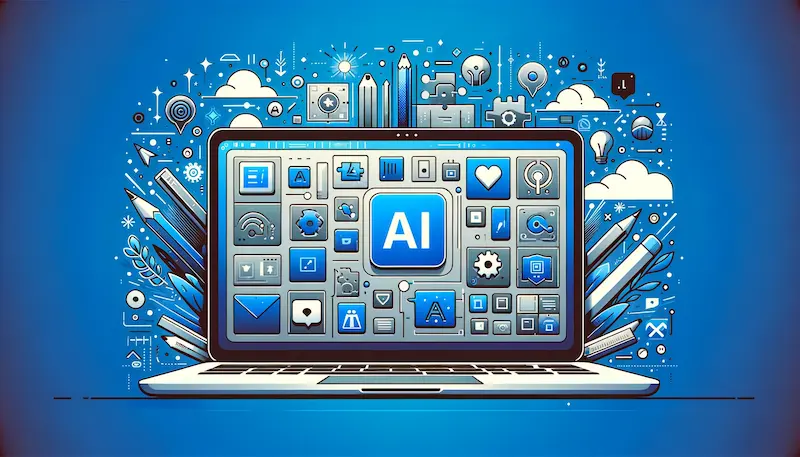
AI tools are software applications or online platforms powered by artificial intelligence. These tools can understand instructions, analyze information, and perform tasks automatically. Instead of doing everything manually, AI tools assist users by generating content, solving problems, organizing information, or creating designs.
For example:
- An AI writing tool can help create blog posts or captions.
- An AI image tool can generate artwork from text.
- An AI video editor can automatically add subtitles.
- An AI productivity tool can summarize notes or organize tasks.
These tools use machine learning and natural language processing to understand user requests and provide useful responses.
Why AI Tools Are Important for Beginners
Many beginners feel nervous when they hear the term “artificial intelligence,” but modern AI tools are built to be simple and user-friendly. You can start using most tools without technical knowledge.
Here are some major reasons why beginners should learn AI tools.
AI Saves Time
One of the biggest advantages of AI tools is speed. Tasks that normally take hours can often be completed in minutes. For example, writing an article outline, editing grammar mistakes, or creating social media graphics becomes much faster with AI assistance.
AI Improves Productivity
AI tools help users focus on important tasks while automation handles repetitive work. Students can organize assignments, businesses can automate customer support, and creators can generate content ideas more efficiently.
AI Helps Generate Ideas
Sometimes people struggle with creativity. AI tools can suggest captions, headlines, blog ideas, presentation topics, or marketing campaigns.
AI Is Easy to Use
Most beginner AI tools have clean dashboards and simple instructions. Users only need to type commands or upload files to get results.
AI Is Becoming a Valuable Skill
Learning how to use AI tools is becoming an important digital skill. Many companies and online businesses now rely on AI for daily operations.
Different Types of AI Tools for Beginners
There are many categories of AI tools available today. Each category focuses on different tasks.
AI Writing Tools
These tools help users create written content such as:
- Articles
- Blog posts
- Captions
- Emails
- Product descriptions
- Scripts
They are popular among students, bloggers, freelancers, and marketers.
AI Design Tools
AI design tools help create visual content like:
- Social media graphics
- Posters
- Logos
- Presentations
- YouTube thumbnails
These tools are useful for beginners because they offer templates and drag-and-drop editing.
AI Image Generation Tools
These tools create images using text prompts. Users can describe a scene, and the AI generates digital artwork or illustrations.
AI Video Editing Tools
AI video tools simplify editing by adding subtitles, transitions, effects, and automatic scene adjustments.
AI Productivity Tools
These tools help users organize tasks, summarize notes, transcribe meetings, and manage schedules.
AI Coding Tools
Some AI tools help beginners learn programming or generate code automatically.
Best AI Tools for Beginners
Below are some of the most beginner-friendly AI tools available today.
ChatGPT – Best AI Writing Assistant for Beginners
OpenAI created ChatGPT, one of the most popular AI tools in the world. It works like a chatbot where users type questions or instructions and receive detailed answers.
What ChatGPT Can Do
ChatGPT can help users:
- Write blog posts
- Generate captions
- Create email drafts
- Answer questions
- Explain difficult topics
- Brainstorm ideas
- Summarize information
Why Beginners Like ChatGPT
The interface is very simple. You only need to type what you want in plain language.
For example:
- “Write an Instagram caption for a beach photo.”
- “Explain artificial intelligence in simple words.”
- “Give me blog topic ideas for travel.”
Benefits of Using ChatGPT
- Fast responses
- Easy to learn
- Saves writing time
- Helps improve creativity
- Useful for study and work
Grammarly – Best AI Tool for Writing Improvement
Grammarly is an AI-powered writing assistant that checks grammar, spelling, punctuation, and sentence clarity.
Features of Grammarly
- Grammar correction
- Spell checking
- Tone suggestions
- Sentence improvement
- Plagiarism checking
Who Should Use Grammarly?
Grammarly is ideal for:
- Students
- Bloggers
- Office workers
- Freelancers
- Social media managers
Why It Is Good for Beginners
The tool highlights mistakes automatically and suggests better alternatives. It helps beginners improve writing confidence.
Canva – Best AI Design Tool for Beginners
Canva is one of the easiest design platforms available online.
What Canva Can Create
Users can design:
- Instagram posts
- Posters
- Presentations
- Business cards
- YouTube thumbnails
- Invitations
AI Features in Canva
Canva now includes AI tools such as:
- AI image generation
- Background remover
- Text-to-image tools
- Automatic resizing
Why Beginners Love Canva
Canva offers drag-and-drop editing with ready-made templates. Even people without design experience can create professional graphics.
Midjourney – AI Tool for Creative Image Generation
Midjourney is famous for generating artistic and realistic AI images from text prompts.
How Midjourney Works
Users type descriptions such as:
- “A futuristic city at sunset”
- “A cat wearing sunglasses”
- “A mountain landscape with snow”
The AI then generates unique digital artwork.
Best Uses of Midjourney
- Creative projects
- Digital art
- Social media graphics
- Fantasy illustrations
Beginner Tips
Start with short and clear prompts before experimenting with detailed descriptions.
CapCut – Beginner-Friendly AI Video Editor
CapCut is a popular video editing app for beginners.
Features of CapCut
- Auto captions
- AI effects
- Video transitions
- Filters
- Music integration
- Short video editing
Why Beginners Prefer CapCut
The app is simple and designed for social media creators. Beginners can easily create professional-looking videos for TikTok, Instagram, and YouTube Shorts.
Notion AI – Productivity Tool for Students and Professionals
Notion AI helps organize notes, projects, and tasks.
What Notion AI Can Do
- Summarize documents
- Create to-do lists
- Generate meeting notes
- Organize schedules
- Brainstorm ideas
Best for Beginners
Students and remote workers find Notion AI useful because it keeps everything organized in one place.
How Beginners Can Start Using AI Tools
Many beginners feel confused about where to start. The best approach is to learn slowly and focus on one tool at a time.
Step 1: Choose One Simple AI Tool
Start with beginner-friendly tools like ChatGPT or Canva.
Step 2: Learn Basic Prompts
AI works better when instructions are clear.
Instead of:
“Write something”
Try:
“Write a short motivational caption for Instagram.”
Step 3: Use Free Plans
Many AI tools offer free versions so beginners can practice without spending money.
Step 4: Watch Tutorials
YouTube tutorials and official guides help beginners understand features quickly.
Step 5: Practice Daily
The more you use AI tools, the better results you will get.
Advantages of AI Tools for Students
Students can benefit greatly from AI tools.
Faster Learning
AI explains difficult topics in simpler words.
Better Writing
Writing assistants improve grammar and sentence structure.
Research Help
AI can summarize information and provide study ideas.
Presentation Design
Design tools help students create attractive presentations quickly.
Advantages of AI Tools for Content Creators
Content creators use AI for many tasks.
Caption Generation
AI can generate engaging social media captions.
Content Ideas
AI tools suggest blog topics and video concepts.
Faster Editing
AI video editors simplify editing work.
Improved Creativity
AI-generated designs and images inspire creative projects.
Advantages of AI Tools for Businesses
Businesses also benefit from AI technology.
Customer Support Automation
AI chatbots answer common customer questions.
Marketing Assistance
AI helps create ad copy and social media content.
Productivity Improvement
AI tools organize workflows and automate repetitive tasks.
You may also like to read this:
Latest Tech Gadgets You Need To Know About in 2026
Best Future Technology Trends Changing The World in 2030
Smart Digital Devices: Complete Guide To Smart Technology
Best Free AI Tools For Writing, Design, and Productivity
Common Mistakes Beginners Make With AI Tools
While AI is helpful, beginners should avoid some common mistakes.
Depending Completely on AI
AI-generated content should always be reviewed and edited.
Giving Unclear Instructions
Vague prompts usually produce weak results.
Ignoring Fact-Checking
AI may occasionally provide incorrect information, so users should verify important details.
Using Too Many Tools at Once
Learning one or two tools first is easier than trying many together.
Tips for Writing Better AI Prompts
A prompt is the instruction you give to AI.
Be Specific
Detailed instructions often produce better results.
Example:
“Write a friendly 100-word caption for a travel photo.”
Mention Tone
Tell the AI the style you want.
Examples:
- Funny
- Professional
- Motivational
- Casual
Add Important Details
Include keywords, audience, or format requirements.
Free vs Paid AI Tools
Many AI tools offer both free and paid plans.
Free AI Tools
Good for beginners who want to learn basic features.
Paid AI Tools
Usually include:
- Faster performance
- Advanced features
- Higher usage limits
- Better customization
Beginners should start with free versions before upgrading.
Are AI Tools Safe to Use?
Most popular AI tools are safe, but users should follow good online practices.
Avoid Sharing Sensitive Information
Do not upload passwords, banking details, or private documents.
Read Privacy Policies
Understand how the platform stores and uses your data.
Use Trusted Platforms
Stick with well-known AI companies and tools.
The Future of AI Tools
Artificial intelligence is growing rapidly. In the future, AI tools will become even more advanced and useful.
We may see:
- Smarter virtual assistants
- Better voice AI
- Advanced automation
- Personalized learning systems
- Faster content generation
People who learn AI tools today may have an advantage in education, freelancing, business, and digital careers.
Final Thoughts on AI Tools for Beginners
Learning about AI tools for beginners is one of the smartest steps you can take in today’s digital world. AI is no longer only for programmers or large companies. Anyone can use AI tools to improve productivity, create content, save time, and learn faster.
The best way to begin is by choosing simple tools like ChatGPT, Canva, Grammarly, or CapCut. Start with small tasks, practice regularly, and slowly explore more advanced features.
As AI technology continues to grow, these tools will become part of everyday life. Beginners who start learning now will build valuable skills for the future and become more confident in using modern digital technology.
FAQs on AI Tools for Beginners
1. What are AI tools for beginners?
AI tools for beginners are simple software or apps that use artificial intelligence to help users complete tasks like writing, designing, editing, and learning without needing technical skills.
2. Do I need coding skills to use AI tools?
No, most AI tools for beginners are designed for non-technical users. You can simply type instructions or use drag-and-drop features.
3. What is the best AI tool for beginners?
Some of the best AI tools for beginners include ChatGPT for writing, Canva for design, Grammarly for editing, and CapCut for video editing.
4. Are AI tools free to use?
Many AI tools offer free versions with basic features. However, advanced features usually require paid plans.
5. Can students use AI tools for studying?
Yes, students can use AI tools to summarize notes, understand topics, write assignments, and generate study ideas.